
 阅读时间:8 分钟
  浏览量:6330次
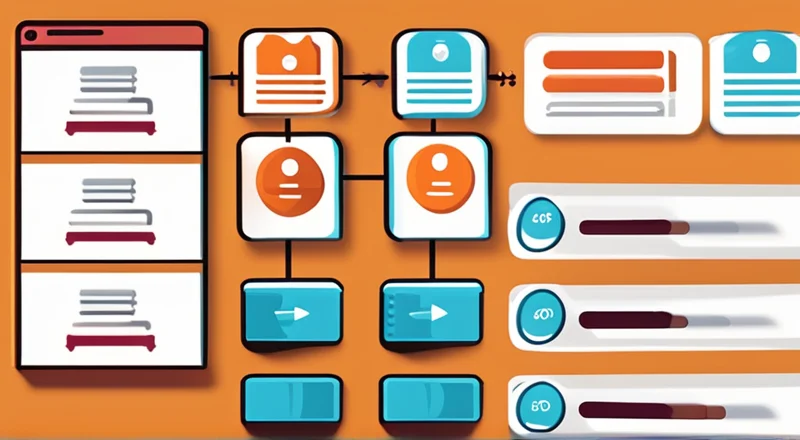

出入库流程图在英语中可以写作"Warehouse Inbound and Outbound Process Flowchart"。以下是围绕这个主题撰写的博客文章:
一、在文章开头段落直接回答标题所提问题
The "Warehouse Inbound and Outbound Process Flowchart" is a visual representation of the steps involved in receiving, storing, and shipping goods within a warehouse. There are three key stages in this process: 1. Inbound Process, 2. Storage Process, and 3. Outbound Process. Let's delve deeper into the Inbound Process. This stage involves receiving goods from suppliers, checking the quality and quantity of the items received, and then updating the inventory records. Efficient inbound processes ensure that goods are correctly logged and stored, which is essential for maintaining accurate inventory levels and preparing for smooth outbound operations.
一、INBOUND PROCESS
The inbound process is crucial as it sets the foundation for the entire warehouse management system. The steps involved in the inbound process typically include:
-
Receiving Goods:
- Unloading shipments from transportation vehicles.
- Verifying the delivery against the purchase order or delivery note.
- Checking for any visible damages or discrepancies.
-
Inspection and Quality Control:
- Inspecting the quality of the goods received.
- Checking the quantity to ensure it matches the order.
- Reporting any issues or discrepancies.
-
Updating Inventory Records:
- Entering the received items into the warehouse management system.
- Updating the inventory levels.
- Assigning storage locations for the new items.
二、STORAGE PROCESS
Once the goods have been received and inspected, they need to be stored appropriately. The storage process involves:
-
Assigning Storage Locations:
- Identifying suitable storage locations based on the type of goods.
- Using a warehouse management system to track the location of each item.
-
Storing Goods:
- Placing the goods in the designated storage locations.
- Ensuring that the storage process is efficient and organized to facilitate easy retrieval.
-
Maintaining Inventory Accuracy:
- Regularly conducting inventory checks.
- Using barcode or RFID technology to track inventory movement.
- Ensuring that the inventory records are up-to-date and accurate.
三、OUTBOUND PROCESS
The outbound process involves picking, packing, and shipping goods to customers. The steps in the outbound process include:
-
Order Picking:
- Receiving customer orders.
- Picking the items from the storage locations based on the order details.
- Using picking lists or handheld devices to ensure accuracy.
-
Packing:
- Checking the picked items for accuracy.
- Packing the items securely to prevent damage during transit.
- Labeling the packages with shipping information.
-
Shipping:
- Arranging transportation for the shipment.
- Generating shipping documents such as invoices and packing lists.
- Dispatching the goods to the customers.
四、BENEFITS OF AN EFFICIENT WAREHOUSE INBOUND AND OUTBOUND PROCESS
Implementing an efficient warehouse inbound and outbound process offers several benefits:
-
Improved Inventory Accuracy:
- Reduces discrepancies between physical inventory and inventory records.
- Ensures that the right products are available when needed.
-
Enhanced Customer Satisfaction:
- Ensures timely and accurate order fulfillment.
- Reduces the likelihood of errors and delays in shipping.
-
Increased Operational Efficiency:
- Streamlines warehouse operations.
- Reduces the time and effort required for receiving, storing, and shipping goods.
五、EXAMPLES OF WAREHOUSE MANAGEMENT SYSTEMS (WMS)
Several Warehouse Management Systems (WMS) can help streamline the inbound and outbound processes. One notable example is the 简道云WMS仓库管理系统. This system provides comprehensive tools for managing inventory, tracking shipments, and optimizing warehouse operations. For more information, you can visit their official website at: https://s.fanruan.com/q6mjx;
六、CONCLUSION
In conclusion, a well-designed Warehouse Inbound and Outbound Process Flowchart is essential for managing warehouse operations efficiently. By understanding and implementing the key stages of inbound, storage, and outbound processes, businesses can improve inventory accuracy, enhance customer satisfaction, and increase operational efficiency. It is recommended to utilize advanced Warehouse Management Systems like 简道云WMS仓库管理系统 to further optimize these processes. For a more detailed understanding and implementation, consider exploring the tools and features available on their official website.
For businesses looking to improve their warehouse operations, it's essential to regularly review and update their process flowcharts and leverage modern WMS solutions to stay competitive and meet customer expectations.
相关问答FAQs:
出入库流程图英语怎么写?
在撰写出入库流程图时,可以遵循一定的结构和术语,以确保信息清晰且易于理解。出入库流程图主要包括以下几个步骤:
-
Receiving Goods (接收货物):这一部分涉及到货物的到达和验收。通常需要记录供应商信息、到货日期、货物数量以及质量检查等。
-
Inspection (检验):对接收到的货物进行质量和数量的检查,确保其符合采购订单的要求。
-
Storage (存储):合格的货物将被分类并存放在仓库的特定位置。这一过程需要记录存储位置,以便后续快速找到。
-
Inventory Management (库存管理):对仓库中的库存进行定期检查和更新,确保库存数据的准确性。这包括定期盘点、库存调整等。
-
Order Picking (拣货):根据客户订单,从仓库中挑选出所需的商品。拣货的准确性直接影响到客户满意度。
-
Packing (包装):将拣选的商品进行包装,确保在运输过程中不会损坏。
-
Shipping (发货):将包装好的商品发往客户。这一步通常需要记录发货日期、运输方式以及追踪信息。
-
Returns (退货):处理客户的退货请求,包括验收退回的商品、更新库存以及记录退货原因。
-
Documentation (文档处理):在整个出入库流程中,保持良好的文档记录是至关重要的。这包括采购订单、入库单、出库单、运输单据等。
使用这些步骤可以创建一个清晰且易于理解的出入库流程图。通过图形化的表示,能够帮助团队更好地理解各个环节的职责和流程。
如何制作出入库流程图?
制作出入库流程图的工具有很多,例如 Microsoft Visio、Lucidchart、Draw.io 等。这些工具通常提供模板和图形库,可以帮助用户更轻松地绘制流程图。
-
选择工具:根据个人的使用习惯选择合适的流程图工具。
-
定义流程:明确出入库的具体流程,包括每个步骤的参与者和责任。
-
使用图形元素:使用标准的图形元素(如矩形、菱形、箭头等)表示流程中的各个步骤和决策点。
-
标注说明:在每个步骤旁边添加简短的文字说明,以便于理解。
-
审核和修改:完成初稿后,请相关人员审核流程图,确保每个环节都准确无误。
-
发布和分享:将最终版本分享给团队,确保每位成员都能理解出入库流程。
出入库流程图的作用是什么?
出入库流程图在仓库管理中具有重要的作用。它不仅可以提高工作效率,还能减少错误和混淆。以下是出入库流程图的一些主要作用:
-
提高透明度:流程图使得整个出入库过程一目了然,帮助团队成员了解各自的角色和责任。
-
优化流程:通过可视化的方式,能够更容易发现流程中的瓶颈和不合理之处,从而进行优化。
-
培训工具:新员工可以通过流程图快速了解出入库的基本流程,减少培训时间。
-
减少错误:明确的步骤和责任能有效减少操作错误,提高工作准确性。
-
便于沟通:在团队讨论中,流程图是一个有效的沟通工具,帮助成员更好地理解问题。
-
支持决策:在面临流程变更或优化时,流程图能够提供清晰的信息支持决策。
通过制作和使用出入库流程图,企业能够更高效地管理库存,提高客户满意度。
有哪些常见的出入库管理软件?
在现代仓库管理中,出入库管理软件的使用越来越普遍。以下是一些常见的出入库管理软件:
-
简道云WMS:该系统提供全面的仓库管理解决方案,支持入库、出库、库存管理等功能,界面友好,易于使用。
-
SAP ERP:适合大型企业,功能强大,能够与其他系统集成,支持复杂的出入库管理需求。
-
Oracle Warehouse Management:提供实时库存跟踪和管理功能,适用于大型仓库和分销中心。
-
Zoho Inventory:适合中小企业,提供简单易用的库存管理解决方案,包括出入库管理、订单处理等功能。
-
Fishbowl Inventory:针对制造和批发行业,提供全面的库存管理和出入库解决方案。
选择合适的出入库管理软件能够大大提高仓库的工作效率,减少人工操作错误,并为企业节省成本。
出入库流程中需要注意哪些细节?
在出入库流程中,有许多细节需要特别关注,以确保整个流程的顺利进行。以下是一些关键的细节:
-
准确的数据输入:在接收和发货时,确保所有数据的准确性,包括数量、规格和条形码等。
-
合理的存储布局:根据货物的特性和周转率,合理规划仓库的存储布局,确保高频次商品靠近出入口。
-
定期培训员工:定期对员工进行出入库流程和操作培训,以确保他们熟悉操作规范和流程。
-
使用条形码或RFID技术:通过条形码或RFID技术,能够提高货物的识别效率,减少人工操作的错误。
-
及时处理退货:对退货商品进行及时的检查和处理,确保库存数据的准确性。
-
监控库存水平:定期检查库存水平,避免库存积压或短缺,确保订单能够及时满足。
通过关注这些细节,企业能够有效提高出入库流程的效率和准确性。
出入库流程的有效管理对于企业的运营至关重要。通过清晰的流程图、合适的软件工具以及细致的管理,企业能够在竞争中保持优势,确保客户满意度。






















































































 《零代码开发知识图谱》
 《零代码
新动能》案例集
《零代码
新动能》案例集
 《企业零代码系统搭建指南》










